Combining Sandbox Payment Processor with AWS
As I now had a working prototype based in VS Code Python Script, I was eager to apply my AWS modest learnings with this problem.
Step 1.
I added my API Key and ID into AWS Secrets Manager under other type of secret.

Step 2.
With the support of AI for speed, I created a very modest index.html which consisted of a form with 2 questions
Item Name
Item Price
(The Final Code is at the bottom)
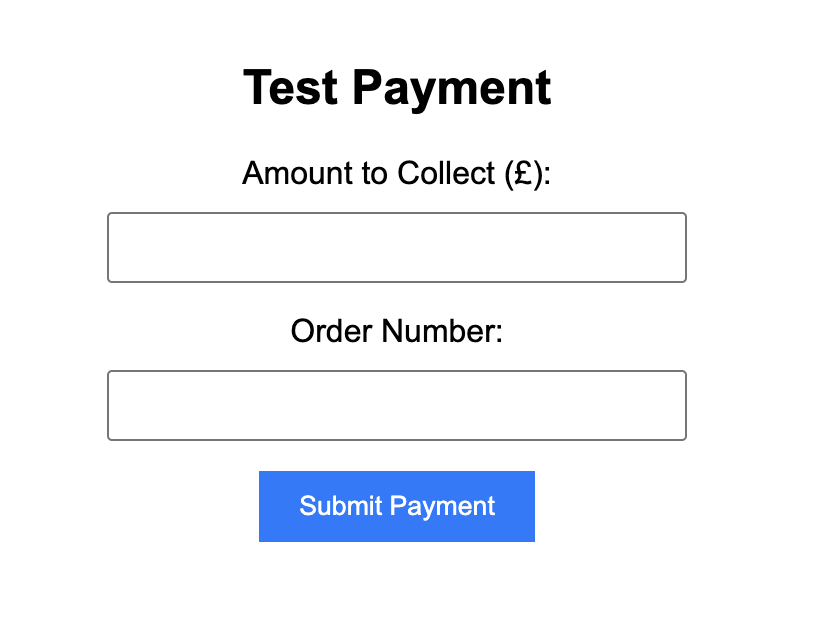
The script used a Javascript Script to fire the submission
<script>
        document.getElementById("paymentForm").addEventListener("submit", async function(event) {
            event.preventDefault();

            // Make sure this is your actual API Gateway URL ending in /pay
            const apiUrl = "https://vyle17q52f.execute-api.eu-west-2.amazonaws.com/pay";

            const formData = new URLSearchParams(new FormData(this));

            try {
                const response = await fetch(apiUrl, {
                    method: "POST",
                    body: formData
                });

                const result = await response.json();

                // If an action URL exists, redirect the browser to complete 3DS
                if (result.action_url) {
                    window.location.href = result.action_url;
                } else if (result.cashflows_status === 200 || result.cashflows_status === 201) {
                    alert("Success! Payment approved.");
                } else if (result.response && result.response.errorReport) {
                    alert("Payment Failed:\n" + result.response.errorReport.errors[0].message);
                } else {
                    alert("Payment Error:\n" + JSON.stringify(result));
                }

            } catch (error) {
                alert("Network error: Could not reach the server.");
            }
        });
    </script>
Step 3.
Using AWS Amplify, I linked by Git account and created a live site of my code. Using VS Code I will update that as we go through.
Step 4.
Using AWS IAM, I added a policy called 'CashflowsSecretReadAccess' which gave the script access to the Secrets Manager and created a role for;
AWSLambdaBasicExecutionRole - For Logging purposes
Step 5.
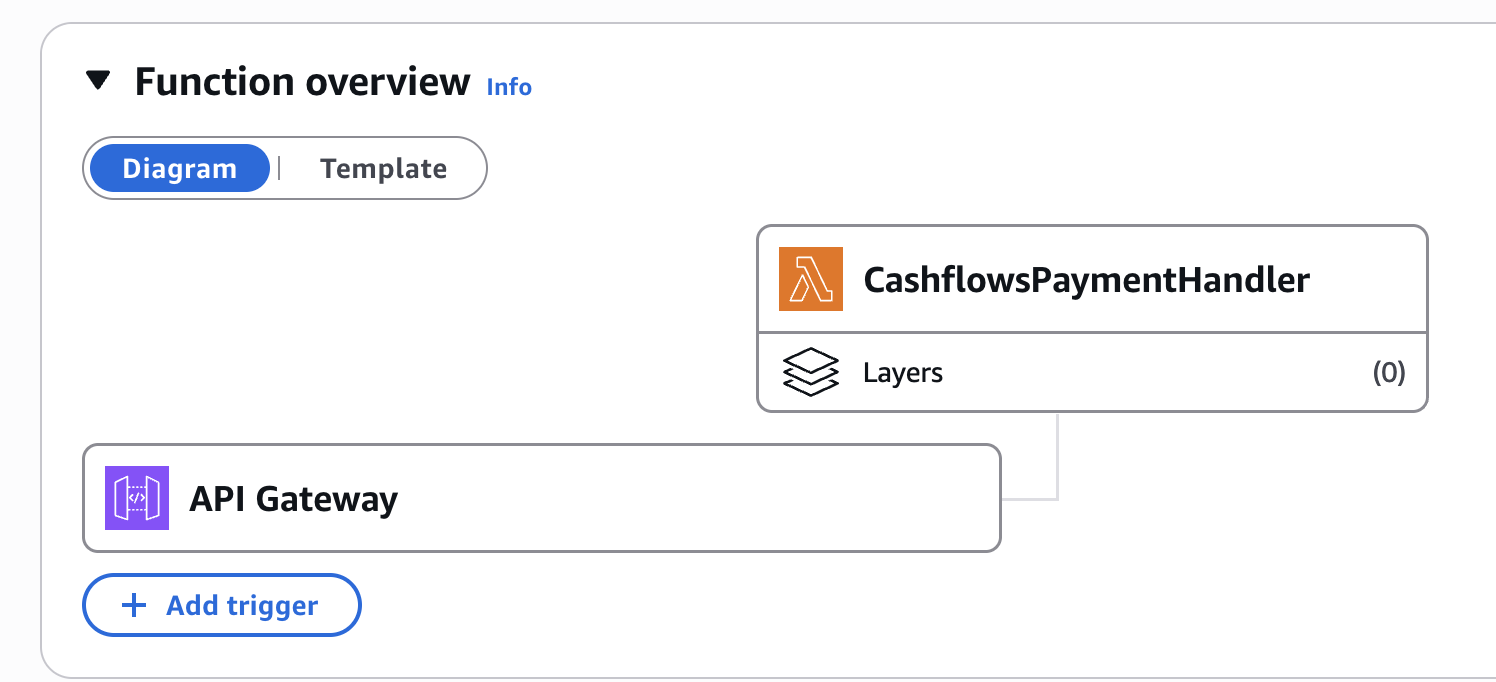
Using LAMBDA I added a Python script that ran when the form was submitted
import json
import hashlib
import urllib.request
import urllib.parse
import base64
import boto3
from botocore.exceptions import ClientError

def get_secrets():
    client = boto3.client('secretsmanager', region_name="eu-west-2")
    try:
        response = client.get_secret_value(SecretId="cashflows/credentials")
        return json.loads(response['SecretString'])
    except ClientError as e:
        print(f"Error fetching secret: {e}")
        return None

def lambda_handler(event, context):
    # 1. Fetch credentials from AWS Secrets Manager
    secrets = get_secrets()
    if not secrets:
        return {
            "statusCode": 500,
            "headers": {"Access-Control-Allow-Origin": "*", "Content-Type": "application/json"},
            "body": json.dumps({"message": "Failed to load credentials"})
        }

    api_key = secrets.get('API_KEY')
    config_id = secrets.get('CONFIG_ID')
    endpoint = "https://gateway-int.cashflows.com/api/gateway/payment-jobs"

    # 2. Extract data from incoming HTML form submission
    try:
        raw_body = event.get('body', '')
        if event.get('isBase64Encoded', False):
            raw_body = base64.b64decode(raw_body).decode('utf-8')

        parsed_body = urllib.parse.parse_qs(raw_body)
        amount = parsed_body.get('amountToCollect', ['10.00'])[0]
        order_number = parsed_body.get('orderNumber', ['Test-Order-01'])[0]
    except Exception as e:
        print(f"Extraction error: {e}")
        amount = "10.00"
        order_number = "Test-Order-01"

    # 3. Build Cashflows Payload using test card & 3DS bypass name
    payload_dict = {
        "type": "Payment",
        "paymentMethodsToUse": ["creditcard"],
        "amountToCollect": str(amount),
        "currency": "GBP",
        "locale": "en_GB",
        "parameters": {
            "cardNumber": "4510400400099005",
            "cardHolderName": "Luke Skywalker",  # Triggers automatic 3DS success in test environment
            "cardCvc": "123",
            "cardExpiryMonth": "12",
            "cardExpiryYear": "28"
        },
        "order": {
            "orderNumber": str(order_number)
        }
    }

    # 4. Generate SHA-512 Hash
    raw_json_body = json.dumps(payload_dict, separators=(',', ':'))
    hash_input = api_key + raw_json_body
    request_hash = hashlib.sha512(hash_input.encode('utf-8')).hexdigest().upper()

    headers = {
        "ConfigurationId": config_id,
        "Hash": request_hash,
        "Content-Type": "application/json"
    }

    # 5. Send request to Cashflows
    req = urllib.request.Request(endpoint, data=raw_json_body.encode('utf-8'), headers=headers, method='POST')

    try:
        with urllib.request.urlopen(req) as response:
            response_data = json.loads(response.read().decode('utf-8'))
            status_code = response.getcode()
    except urllib.error.HTTPError as e:
        response_data = json.loads(e.read().decode('utf-8'))
        status_code = e.code

    # 6. Extract action URL if Cashflows returns a 3DS redirect link
    action_url = None
    if isinstance(response_data, dict):
        action_url = response_data.get("links", {}).get("action", {}).get("url")

    return {
        "statusCode": 200,
        "headers": {
            "Access-Control-Allow-Origin": "https://main.dna7h844op3tm.amplifyapp.com",
            "Content-Type": "application/json"
        },
        "body": json.dumps({
            "cashflows_status": status_code,
            "action_url": action_url,
            "response": response_data
        })
    }
Some important steps in this code:
Luke Skywalker is a success message for testing purposes.
The Lambda will run for 15 seconds but it will fall back on fake data if it doesn't process it in time.
Step 6.
Using AWS API Gateway, I create a POST gateway and linked it to my LAMBDA code with a deployed stage URL ending with /pay.
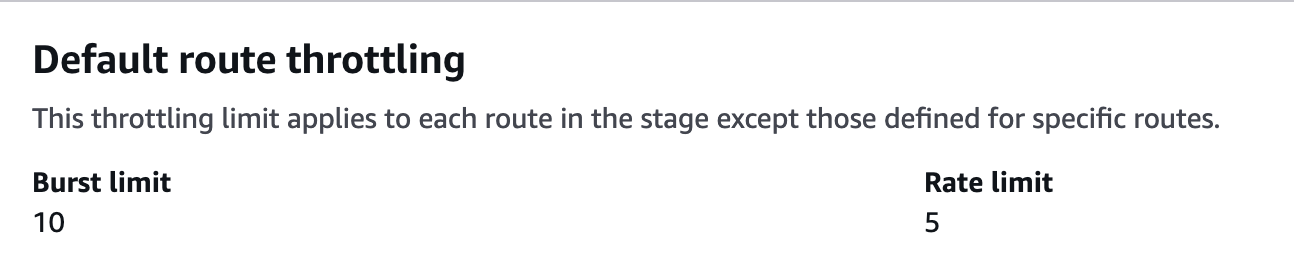
The gateway has a burst limit of 10 and a rate limit of 5 per second to help prevent bad actors.
Cross-Origin Resource Sharing (CORS) is also directed to the Amplify URL to prevent the form being used from a different source.
Step 7.
Once uploaded, this now produces a working model.
Next Steps
This is just the start of this, as it is a very modest E-Commerce engine. We could;
Add Products
Add Card Holder Details
Add CAPTCHA
Success and Failure redirects.
Challenges
Working with AI, I managed to get the code working in some form very early on, but getting working Statuses was a challenge. Looking over the Specs, I found out I needed Luke Skywalker involved and to change my action_url link to one given by the Payment Software.