I wanted to create a particular app which would incorporate a Serverless front end but also have the ability to display previous logs.
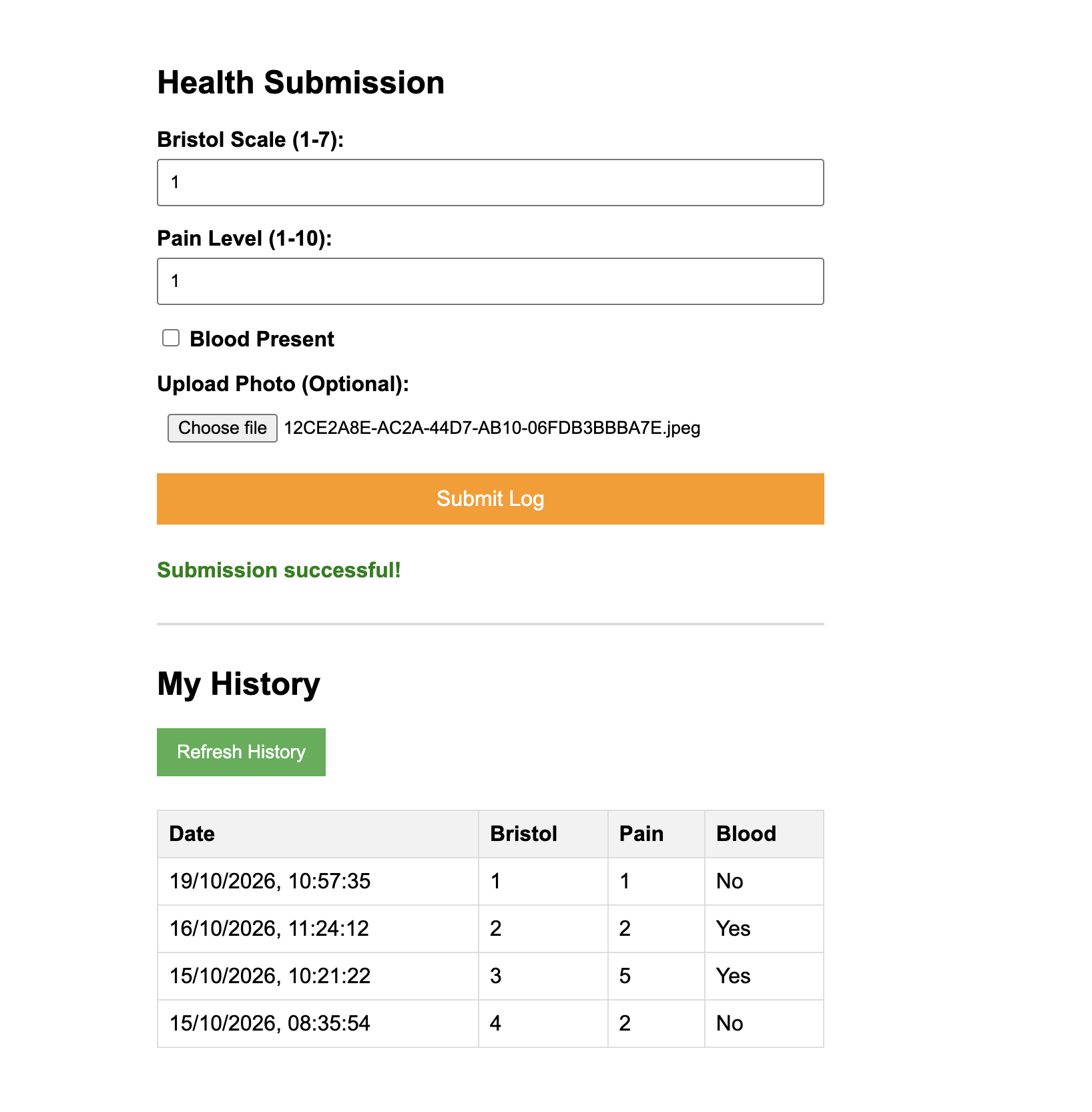
I opted to create a rather crude form that allowed someone living with a Bowel condition to log their motions including pictures if relevant.
In an ideal world, the user would login, provide new information and be able to see previous records. I was hoping to not lean on AWS Amplify for this project as I wanted to use a Secure S3 Bucket tied in with AWS Cloudfront and Cognito. Sadly Cloudfront is not part of the Entry tier of AWS so I opted not to push for that at this stage.
I will break this down by the Service
AWS S3
We have 2 different S3 Buckets operating here.
Frontend Hosting
- This was used to host the site but had a JSON Policy of s3:GetObject to *, which allowed public access. This is ideal for unencrypted testing but not much else in the real world. Ideally this would sit behind Cloudfront and only be accessed via Cognito Login. I will do this on a separate Project.
Image Storage
- Public Access was blocked on this, and only the Lambda function had the IAM permission to trigger the storage.
AWS DynamoDB
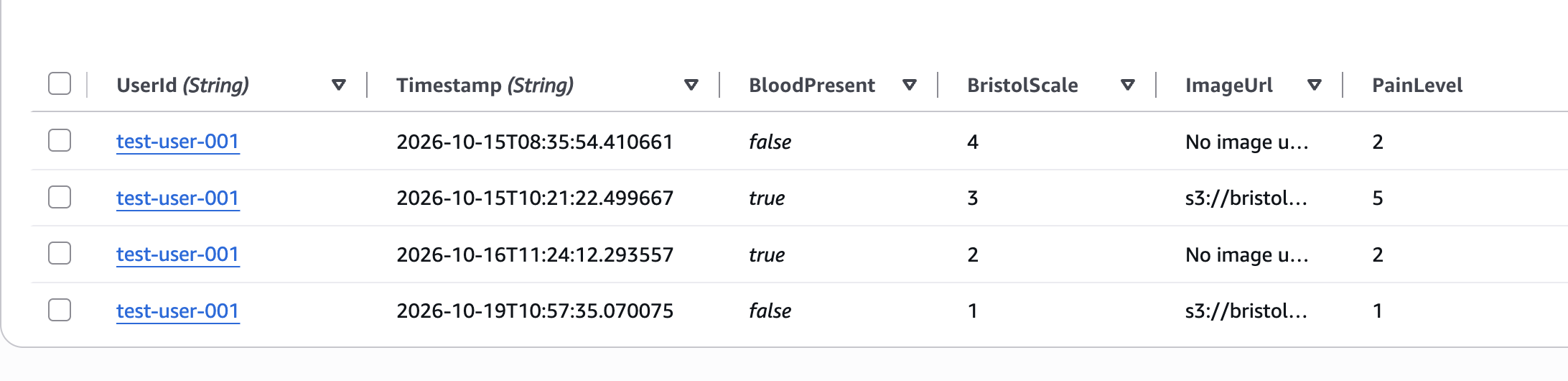
This Database was chosen primarily for the Free tier access but also as we didn't need a relational database for such a quick project.
UserId is used to group the data and timestamp allows for the entries to be sorted.
AWS IAM (Identity and Access Management)
As mentioned, Services can't inherently talk to each other in AWS, so Policies were added to ensure this could happen. AmazonDynamoDBFullAccess, AmazonS3FullAccess, and AmazonSNSFullAccess.
In a Full Production Software, we would use Least Privilege to set these up.
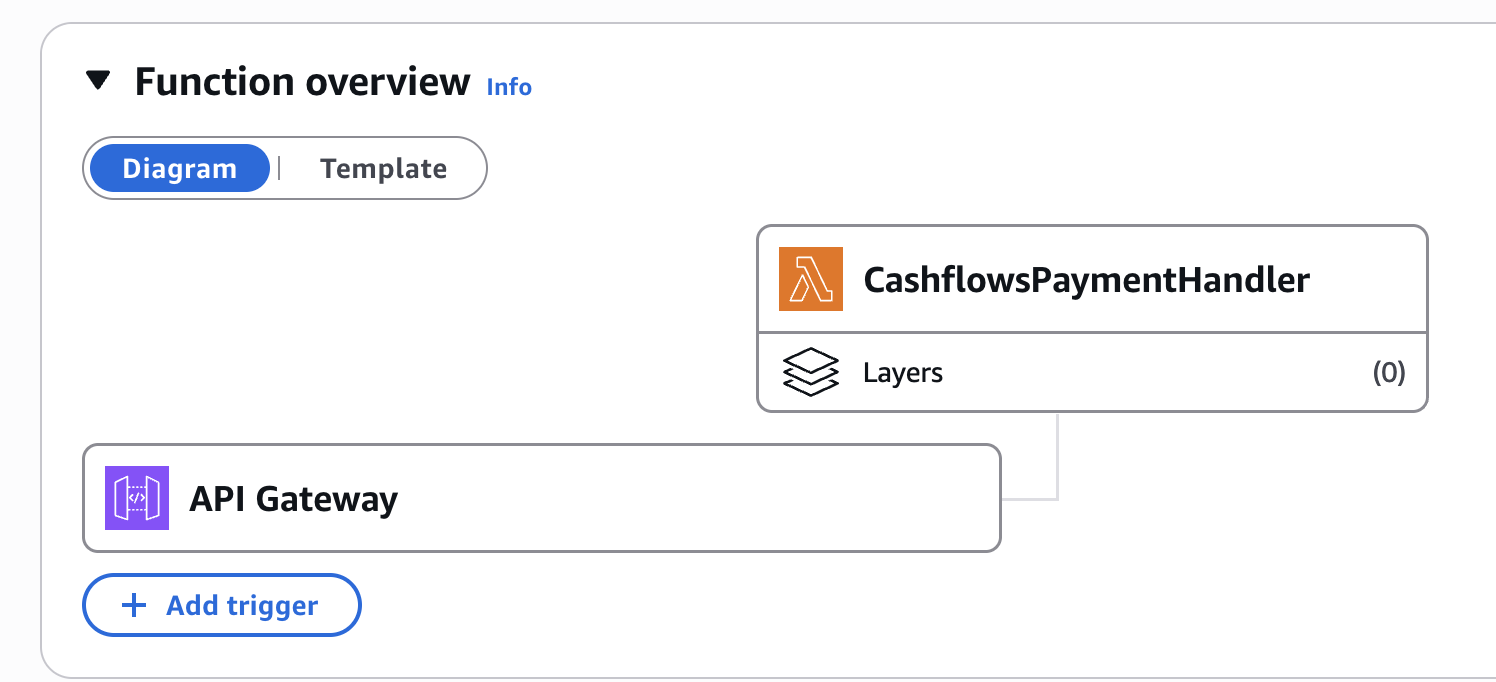
AWS Lambda
Like S3, 2 branches of Lambda occur;
ProcessBristolSubmission
This allows image data to be put into the S3 bucket, itemises this on DynamoDB and then sends an Alert on SNS.
Note that User ID is set to 'test-user-001' for now until Cognito is set up.
import json
import boto3
import base64
import uuid
from datetime import datetime

# 1. Initialize Boto3 clients (The magic wands)
dynamodb = boto3.resource('dynamodb')
s3_client = boto3.client('s3')
sns_client = boto3.client('sns')

# 2. Hardcode your specific resources HERE
BUCKET_NAME = 'bristol-health-submissions-yourname-2026'
SNS_TOPIC_ARN = 'arn:aws:sns:eu-west-2:446503125379:BristolAlerts'
TABLE_NAME = 'BristolSubmissions'

def lambda_handler(event, context):
    try:
        # 3. Parse the data coming from API Gateway / Frontend
        body = json.loads(event['body'])

        bristol_scale = body.get('bristol_scale')
        pain_level = body.get('pain_level')
        blood_present = body.get('blood_present', False)
        image_base64 = body.get('image_data') # The photo file sent as text

        # We will use a dummy user ID until we set up Cognito later
        user_id = 'test-user-001'
        timestamp = datetime.utcnow().isoformat()
        image_url = "No image uploaded"

        # 4. If there is a photo, save it to S3
        if image_base64:
            image_name = f"{user_id}-{uuid.uuid4()}.jpg"
            image_bytes = base64.b64decode(image_base64)

            s3_client.put_object(
                Bucket=BUCKET_NAME,
                Key=image_name,
                Body=image_bytes,
                ContentType='image/jpeg'
            )
            image_url = f"s3://{BUCKET_NAME}/{image_name}"

        # 5. Save the text data to DynamoDB
        table = dynamodb.Table(TABLE_NAME)
        table.put_item(
            Item={
                'UserId': user_id,
                'Timestamp': timestamp,
                'BristolScale': bristol_scale,
                'PainLevel': pain_level,
                'BloodPresent': blood_present,
                'ImageUrl': image_url
            }
        )

        # 6. Send the email via SNS
        sns_client.publish(
            TopicArn=SNS_TOPIC_ARN,
            Subject='New Health Submission Logged',
            Message=f"A new submission was saved.\nBristol Scale: {bristol_scale}\nPain Level: {pain_level}\nBlood Present: {blood_present}"
        )

        # 7. Reply to the frontend website
        return {
            'statusCode': 200,
            # CORS headers are required so your web browser doesn't block the response
            'headers': {
                'Access-Control-Allow-Origin': '*',
                'Access-Control-Allow-Headers': 'Content-Type',
            },
            'body': json.dumps({'message': 'Submission successful!'})
        }

    except Exception as e:
        # If anything goes wrong, tell the frontend
        return {
            'statusCode': 500,
            'body': json.dumps({'error': str(e)})
        }
GetBristolHistory
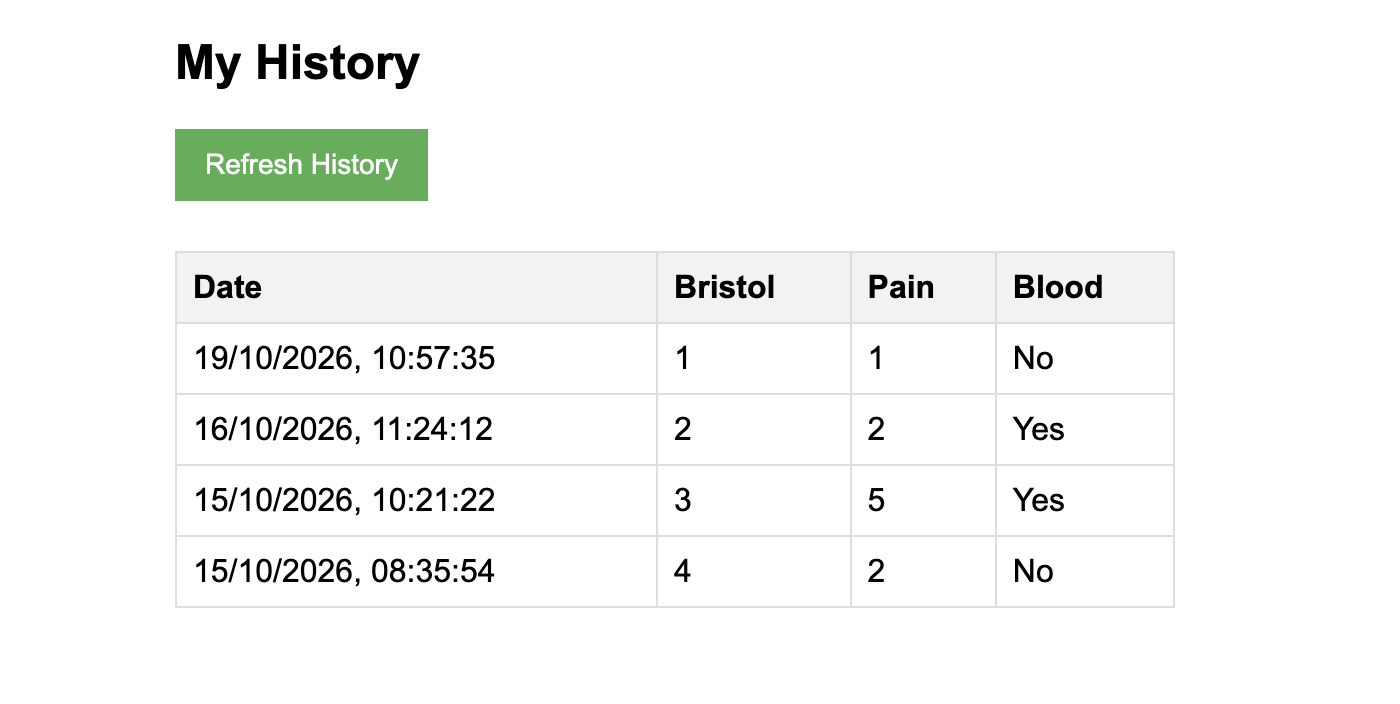
- Using 'Query' we bring back the submissions of 'test-user-001' into the Form view
import json
import boto3
from boto3.dynamodb.conditions import Key
import decimal

dynamodb = boto3.resource('dynamodb')
TABLE_NAME = 'BristolSubmissions'

# Helper class to convert a DynamoDB item to JSON.
class DecimalEncoder(json.JSONEncoder):
    def default(self, o):
        if isinstance(o, decimal.Decimal):
            if o % 1 > 0:
                return float(o)
            else:
                return int(o)
        return super(DecimalEncoder, self).default(o)

def lambda_handler(event, context):
    try:
        table = dynamodb.Table(TABLE_NAME)

        # We use the same dummy user ID we used to save the data
        user_id = 'test-user-001'

        # This is a DynamoDB Query. It instantly finds the "neighborhood"
        # for this specific user, rather than scanning the whole database.
        response = table.query(
            KeyConditionExpression=Key('UserId').eq(user_id)
        )

        items = response.get('Items', [])

        # Sort the items so the newest submission is at the top of the table
        items.sort(key=lambda x: x['Timestamp'], reverse=True)

        return {
            'statusCode': 200,
            # CORS headers to allow your S3 website to fetch the data
            'headers': {
                'Access-Control-Allow-Origin': '*',
                'Access-Control-Allow-Headers': 'Content-Type',
            },
            # We use the DecimalEncoder to fix a common Boto3 bug
            'body': json.dumps({'history': items}, cls=DecimalEncoder)
        }

    except Exception as e:
        return {
            'statusCode': 500,
            'headers': {
                'Access-Control-Allow-Origin': '*'
            },
            'body': json.dumps({'error': str(e)})
        }
This is also my first knowledge of boto3, which is the official AWS Kit for Python, more to come on this I'm sure.
AWS API Gateway
This involves two routes;
Post /submit - Involved withe Form Submission
Post /history - Involved with the History View
CORS was set to *, and content-type allowed the methods of GET, POST and OPTIONS.
AWS SNS (Simple Notification Service)
I created 'BristolAlerts' which emailed any notification to me.
Roadblock
I was hoping to create a login using Cognito and a secure frontend using Cloudfront (to help deter DDOS) but Cloudfront is not available to me just yet.
What's Next?
I would like to pad this out further with some different features;
Create a Login Page for the users so the form is not Public
Have the ability for the User to see their individual records and the photos attached to them
Create an Admin View
About the author
- Learning to Code whilst having several projects under my belt.
Comments
Join the discussionNo comments yet. Be the first to comment.
Application Programming Interface (API)
This is the beginning of my journey with API Calls and the things that you can achieve